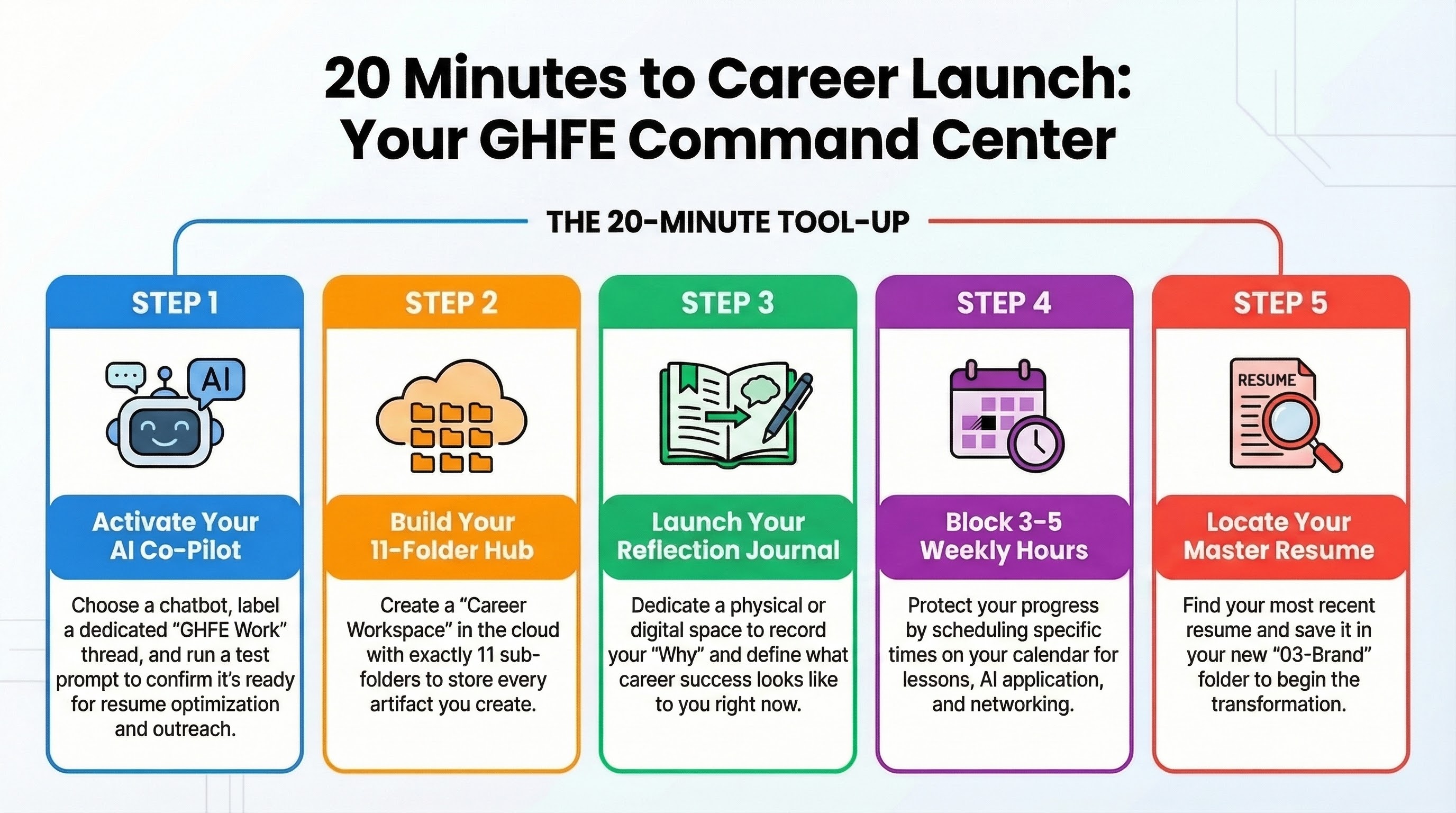
Set Up Your Tools
Outcome: By the end of this lesson, you will be able to configure your Career OS Dashboard and prepare your AI agents for the journey ahead.
🛠️ Your GHFE Toolkit
Before diving into Module 1, let's make sure you have everything set up. This takes about 20 minutes and saves you hours later.
Essential Tools (Required)
1. AI Conversational Assistant
You'll use an AI assistant throughout this course for resume optimization, interview simulation, networking outreach, salary research, and more.
What you need:
- Any major AI chatbot (free tier is fine to start)
- The ability to copy-paste prompts from our AI Tools Guides
Setup steps:
- Choose your preferred AI assistant
- Create a dedicated conversation/chat for GHFE work (label it "GHFE Career Work")
- Test it: paste this prompt and confirm you get a useful response:
You are a career coach. I'm a mid-career professional exploring
new opportunities. What are the 3 most common mistakes people make
when starting a job search? Keep your answer under 100 words.
✅ Done when: You get a helpful, specific response
2. Career Workspace (Document System)
You need ONE place to store every artifact you create during this course.
Recommended structure:
📁 GHFE Career Workspace/
├── 📁 01-Foundation/
│   ├── Stay-Go-Scorecard.md
│   ├── Life-Design-Map.md
│   └── Financial-Runway.md
├── 📁 02-Targeting/
│   ├── Target-Role-Profile.md
│   └── Company-Shortlist.md
├── 📁 03-Brand/
│   ├── Master-Resume.md
│   ├── LinkedIn-Draft.md
│   └── 30-Second-Pitch.md
├── 📁 04-Networking/
│   ├── Network-Map.md
│   └── Outreach-Templates.md
├── 📁 05-Applications/
│   ├── Cover-Letter-Templates.md
│   └── Application-Tracker.md
├── 📁 06-Interview/
│   ├── Story-Bank.md
│   └── Prep-Binder.md
├── 📁 07-Negotiation/
│   ├── Salary-Research.md
│   └── Negotiation-Scripts.md
├── 📁 08-First-90-Days/
│   └── 30-60-90-Plan.md
├── 📁 09-Growth/
│   ├── Wins-Journal.md
│   └── Career-GPS.md
├── 📁 10-Career-OS/
│   └── Dashboard.md
└── 📁 11-AI-Tools/
    ├── Prompt-Library.md
    └── Human-Injection-Portfolio.md
Setup steps:
- Create a "GHFE Career Workspace" folder in Google Drive, Notion, or your preferred system
- Create 11 subfolders matching the modules above
- Bookmark it for quick access
✅ Done when: You have 11 empty folders ready for your work
3. Journal / Reflection Tool
Every lesson includes a reflection moment. You need a simple place to capture insights.
Options:
- Physical notebook (recommended — forces slower, deeper thinking)
- Digital note-taking app
- Voice memos (if you process better by speaking)
Setup steps:
- Get a dedicated notebook or create a "GHFE Reflections" note
- Write today's date and your answer to these 2 questions:
- "Why am I taking this course?"
- "What does 'career success' mean to me right now?"
✅ Done when: You've written your first reflection entry
Recommended Tools (Optional but Helpful)
4. Application Tracking Spreadsheet
You'll build this properly in M05-L04, but having the template ready helps:
| Column | Purpose |
|---|---|
| Company | Company name |
| Role | Job title |
| Date Applied | When you submitted |
| Source | Job board / referral / direct |
| Status | Applied / Phone Screen / Interview / Offer / Rejected |
| Next Action | What to do next |
| Contact | Key person at the company |
| Notes | Any important details |
5. LinkedIn Premium (Optional)
Not required, but useful for:
- InMail messages to people outside your network
- Seeing who viewed your profile
- Salary Insights data
- Learning courses for skill gaps
Tip: Most platforms offer free trials. Wait until Module 3 (LinkedIn lesson) to activate.
6. Calendar Blocks
Block 3-5 hours per week for GHFE work before starting Module 1:
| Day | Time Block | Activity |
|---|---|---|
| Monday | 30 min | Watch/read new lesson |
| Tuesday | 30 min | Complete worksheet |
| Wednesday | 30 min | Run AI prompts + apply |
| Thursday | 30 min | Networking / outreach |
| Friday | 15 min | Weekly reflection |
💥 Engagement Zone
🎬 Real Story: Mark, a Director of Sales with 12 years in his role, was terrified of "the AI thing." He thought it was for 22-year-old coders, not 50-year-old executives. He spent 30 minutes setting up his GHFE "Command Center" (AI + Folder System). Two months later, he was using his AI Negotiation Agent to help him counter a $180k offer, eventually landing a $210k total package with a sign-on bonus. "The tools aren't the job," he told us, "but they're the engine that gets me to the job."
😂 Humor Touch: Learning to use AI as a mid-career pro is like being given a lightsaber after using a sharpened wooden stick for twenty years. It’s powerful, it’s a little intimidating, and you’re probably going to accidentally singe the curtains once or twice. That’s okay — just keep swinging.
🎮 Gamification: The 5-Minute Tool-Up Sprint. Set a timer for 5 minutes. Go to your preferred AI assistant and ask: "Act as my career coach. Give me one unconventional piece of advice for a mid-career professional starting a job search in 2026." Copy and paste the best part into your new "Reflections" journal.
📊 Self-Assessment: Digital Readiness Meter. Rate your current comfort level with your new toolkit:
- "I still prefer a fax machine and a paper map."
- "I can use Google, but I'm pretty sure AI is going to steal my soul."
- "I have the folders ready, but I'm still feeling a bit like a tourist."
- "I've tested the AI prompt and I'm starting to see the potential."
- "My Command Center is live and I'm ready to engineer my future." Current Score: [ ]
Pre-Flight Checklist
Before starting Module 1, confirm:
- AI assistant set up and tested
- Career workspace created with 11 folders
- Journal/reflection tool ready with first entry
- Calendar blocks scheduled for next 8 weeks
- Current resume located (even if outdated)
- LinkedIn profile URL noted
All boxes checked? You're ready.
→ Start Module 1, Lesson 1: Should You Stay or Should You Go?
Accessibility — Image descriptions
| File | Alt text |
|---|---|
GHFE-M00-L03-ENG-set-up-your-tools-infographic-landscape.png | Infographic for “Set Up Your Tools”: visual summary of ghfe tools (landscape layout, GHFE course). |
GHFE-M00-L03-ENG-set-up-your-tools-infographic-portrait.png | Infographic for “Set Up Your Tools”: visual summary of ghfe tools (portrait layout, GHFE course). |
GHFE-M00-L03-ENG-set-up-your-tools-video-thumbnail-landscape.png | Video thumbnail for “Set Up Your Tools”: preview image for the lesson video (landscape format). |
GHFE-M00-L03-ENG-set-up-your-tools-video-thumbnail-portrait.png | Video thumbnail for “Set Up Your Tools”: preview image for the lesson video (portrait format). |